
Scientific Atlanta Explorer 8000/8000HD DVR Getting Started Guide

The document introduces the functions and features of the Explorer 8000 DVR, including recording, pausing, replaying, slow motion, fast forwarding, etc., and details how to use the DVR to record and play TV programs
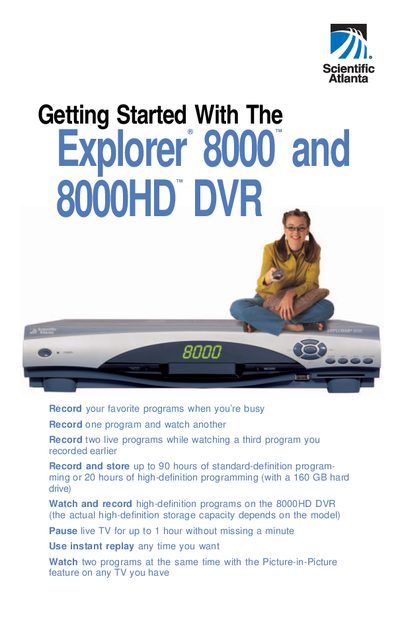

Scientific Atlanta Explorer 8000/8000HD DVR Getting Started Guide - cover page
Brand
Scientific
Category
Digital Video Recorder
Document type
User Manual
Language
English
Pages
16
File format
PDF
File size
2.2 MB
Published
04 July, 2012
Updated
01 October, 2023
MD5 checksum
B1A3DBDFAA6BCC0C25296AC84E186EAA

About this manual

This document serves as a getting started guide for the Scientific Atlanta Explorer 8000 and 8000HD DVR. It highlights key capabilities such as recording up to 90 hours of standard-definition programming or 20 hours of high-definition programming, utilizing Picture-in-Picture (PIP) features, and controlling live TV with pause, rewind, and instant replay functions.

What's inside

  • Getting Started
  • Using Your Remote Control
  • Preparing the Explorer 8000HD DVR to Work With Your High-Definition TV
  • Selecting Picture Formats With the Setup Wizard
  • Setting Up Your Explorer 8000HD DVR With an HDTV
  • Setting Up Your Explorer 8000HD DVR With an SDTV
  • Selecting Compatible Picture Formats

Specifications

Hard Drive Capacity (HD)160 GB hard drive

Frequently asked questions

What are the supported picture formats for HDTV?

The DVR supports 480i, 480p (wide and standard), 720p (wide only), and 1080i (wide only).

What is the default picture format setting?

The default picture format setting is 1080i.

Download PDF (2.2 MB)

More Scientific Manuals


View all Scientific manuals →