
This article introduces the ghost peak problem in Agilent's LC troubleshooting series.
This document is part of the Agilent LC Troubleshooting Series, specifically addressing 'Ghost Peaks' in High-Performance Liquid Chromatography (HPLC). It identifies five primary sources for ghost peaks: elution of analytes retained from previous injections (wraparound peaks), mobile phase contamination, sample preparation issues, system contamination, and column contamination. The text provides specific diagnostic clues, such as unusually wide peaks indicating wraparound effects or peak persistence during blank runs suggesting contamination.
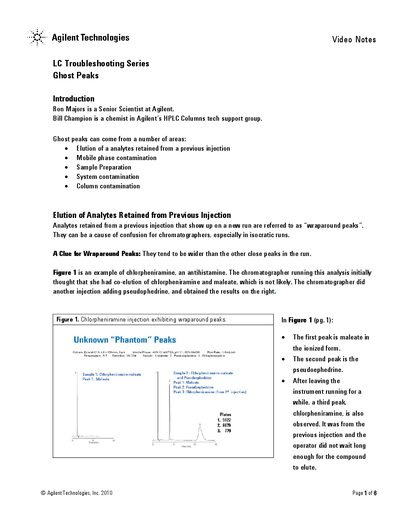
Wraparound peaks are analytes retained from a previous injection that show up on a new run, often appearing wider than other close peaks in the run.
You can determine this by running extra equilibration time; if the impurity peak heights increase with more equilibration, they likely originated from trace impurities in the mobile phase.
You can verify this by removing the autosampler from the flowpath and making a blank run; if the ghost peaks disappear, the autosampler was likely the source.