
Yamaha Disklavier E3 Media Management Manual

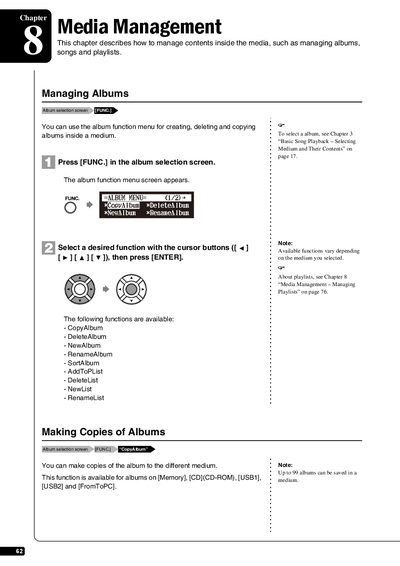
This chapter describes how to manage contents inside the media, such as managing albums, songs and playlists.

Yamaha Disklavier E3 Media Management Manual - cover page
Brand
Yamaha
Category
Digital
Document type
User Manual
Language
English
Pages
119
File format
PDF
File size
3 MB
Published
11 June, 2012
Updated
29 September, 2023
MD5 checksum
67D9EA3B25E32611C24DCE6300ACA19D

About this manual

This document provides instructions for managing media content on the Yamaha Disklavier E3. It covers operations such as creating, copying, deleting, and renaming albums and songs stored on various media types including Memory, CD, and USB drives. The guide details the step-by-step procedures for accessing the function menus to organize music libraries.

What's inside

  • Managing Albums
  • Making Copies of Albums
  • Deleting Albums
  • Creating a New Album
  • Renaming an Album
  • Rearranging the Order of Albums
  • Managing Songs
  • Making Copies of Songs

Frequently asked questions

What is the maximum number of characters allowed for an album title?

You can enter up to 64 characters for an album title.

Download PDF (3 MB)

More Yamaha Manuals


View all Yamaha manuals →