
Add-On Effects are software packages that install additional high-quality effects programs on digital consoles. REV-X is one of these Add-On Effects packages, consisting of a reverb algorithm developed by Yamaha. It provides a high-density, richly reverberant sound quality, with smooth attenuation, spread, and depth that work together to enhance the original sound.
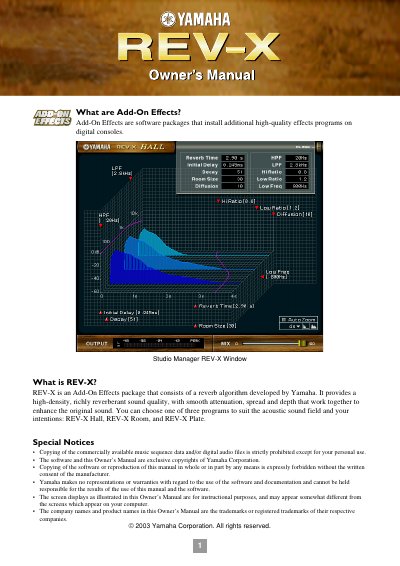
REV-X is an Add-On Effects package developed by Yamaha that provides high-density, richly reverberant sound quality. It includes three programs: REV-X Hall, REV-X Room, and REV-X Plate. Users can recall and edit these programs on the console or via the Studio Manager software.
| Reverb Time Range | 0.3s through 30.0s |
|---|---|
| Initial Delay Range | 0.0ms through 125.0ms |
| Decay Range | 0 through 53 |
| Room Size Range | 0 through 28 |
| Diffusion Range | 0 through 10 |
| Hi Ratio Range | 0.1 through 1.0 |
| Lo Ratio Range | 0.1 through 1.4 |
| Low Freq Range | 22.0Hz through 18.0kHz |
The three programs are REV-X Hall, REV-X Room, and REV-X Plate.
It adjusts the mix balance of the dry and wet (effect) sounds, ranging from 0% (only dry) to 100% (only wet).