
This is an instruction manual that introduces the use of Olympus digital cameras.
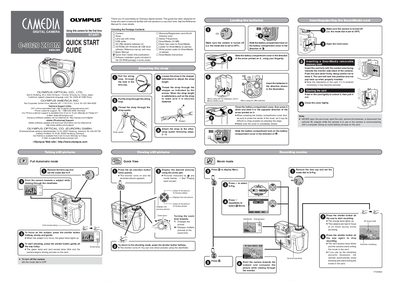
This document serves as a Quick Start Guide for the Olympus C-3020ZOOM digital camera. It provides essential instructions for initial setup, including checking package contents, installing batteries, inserting SmartMedia cards, and attaching the strap. The guide explains how to turn the camera on and off using the mode dial.
| Optical Zoom | 3x zooming (equivalent to 32 mm-96 mm on a 36 mm camera) |
|---|---|
| Macro Range | 0.2-0.8 m (0.6-2.6 ft) |
| Flash Range | Wide :0.8-3.6 m / Tele: 0.2-3.6 m |
| ISO Sensitivity | AUTO/100/200/400 |
Set the mode dial to P to shoot, or set it to OFF to turn the power off.
Open the Card cover and insert the SmartMedia card fully with the contact area facing towards the monitor side.