
Olympus C-2040ZOOM Digital Camera Quick Start Guide

This is a quick start guide for Olympus C-2040ZOOM G, introducing how to set date and time, load batteries, adjust viewfinder and other basic operations
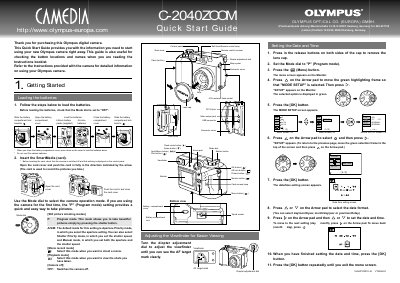

Olympus C-2040ZOOM Digital Camera Quick Start Guide - cover page
Brand
Olympus
Category
Digital cameras
Document type
Quick Start Guide
Language
English
Pages
2
File format
PDF
File size
498 KB
Published
08 June, 2012
Updated
30 September, 2023
MD5 checksum
FD69DF5039B0F2A2B4BA832D07AA896F

About this manual

This document is a Quick Start Guide for the Olympus C-2040ZOOM digital camera. It provides initial setup instructions, including loading batteries, inserting the SmartMedia card, and setting the date and time. The guide also explains how to switch the camera on and off and how to use the Mode dial for different functions.

What's inside

  • Getting Started
  • Loading the batteries
  • Inserting the SmartMedia card
  • Setting the date and time
  • Taking Pictures
  • Shooting Movies
  • Viewing Your Shots
  • Erasing Pictures

Frequently asked questions

What battery type should be used for this camera?

The camera requires AA-size lithium batteries, and zinc-carbon batteries must not be used.

How long does the camera stay on before it turns off automatically to save power?

The monitor and control panel go blank if the camera is left switched on without use for 3 minutes or longer.

What is the closest focusing distance for Macro mode?

Macro mode allows you to focus on subjects located between 20 and 80 cm from the camera.

Download PDF (498 KB)

More Olympus Manuals


View all Olympus manuals →