
This document is the quick start guide for Olympus S-HD-100, which introduces basic operations to use the storage device, including storing images, charging, etc.
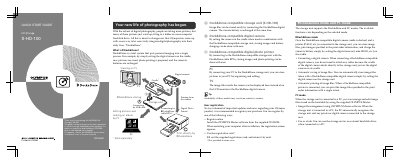
This guide provides instructions for the Olympus S-HD-100 HD Storage unit, a device designed to integrate digital photography into daily life via the "Dock&Done" system. It explains how to connect compatible digital cameras and printers to automatically store images and print photos, as well as how to use the unit as an external hard drive connected to a PC.
| Product Name | HD Storage S-HD-100 |
|---|---|
| Compatible Printer Example | P-5100 |
| Cable Type | Dock&Done cable KP16 |
| Auto-Store Timeout | 20 seconds |
Set the Dock&Done mode/PC mode switch to the desired position. Do not change the setting during data transfer.
Yes, when connected to a PC, you can use the storage unit as an external hard disk drive to manage and edit image files.
Do not disconnect the cable or remove the camera while the ACCESS indicator is blinking, as this may result in a store or print error.