
The CP-4900 Micro-GC Genie Filter Bracket is a bracket used to mount a Genie filter or Valco valve. It is easy to install and suitable for CP-4900 Micro-GC instruments.
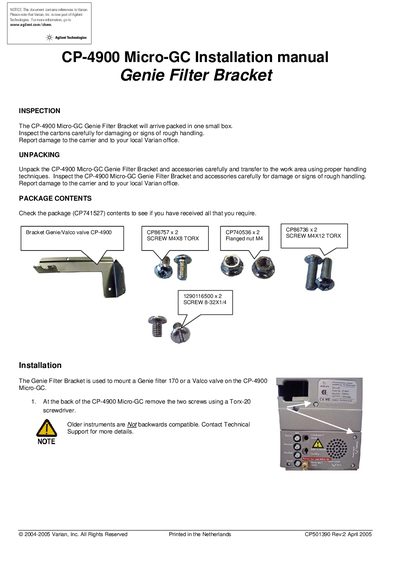
This document provides installation instructions for the CP-4900 Micro-GC Genie Filter Bracket. It details how to inspect the package contents, which include brackets, valves, and screws, before beginning the installation process on the instrument.
The guide outlines specific steps for mounting the bracket at the back of the CP-4900 Micro-GC using a Torx-20 screwdriver. It also covers procedures for attaching either a Genie filter 170 or a Valco valve, noting important compatibility restrictions regarding Fieldcases and transport.
No, mounting a Valco valve is not possible when using a Fieldcase.
The bracket is used to mount a Genie filter 170 or a Valco valve on the CP-4900 Micro-GC.
You must use a Torx-20 screwdriver to remove the two screws.
Mounting the filter requires the use of the two screws identified by part number 1290116500.