
The MAX5251 combines four low-power, voltage-output, 10-bit digital-to-analog converters (DACs) and four precision output amplifiers in a space-saving, 20-pin package. It is ideal for industrial-process-control applications due to its configurable output amplifiers, remote sensing, and high output drive capacity. Other features include software shutdown, hardware shutdown lockout, an active-low reset, a user-programmable logic output, and a serial-data output. Each DAC has a double-buffered input organized as an input register followed by a DAC register. A 16-bit serial word loads data into each input/DAC register. The 3-wire serial interface is compatible with SPI™/QSPI™ and Microwire™. All logic inputs are TTL/CMOS-logic compatible.
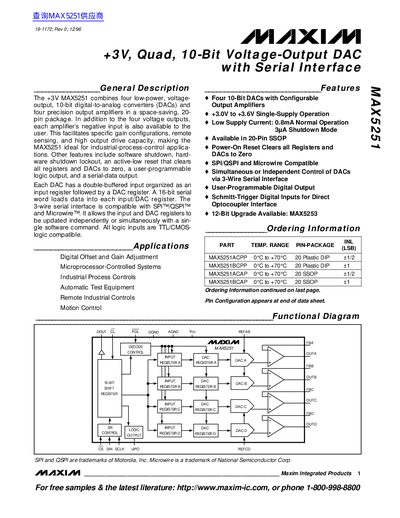
The document describes the MAX5251, an integrated circuit combining four low-power, voltage-output, 10-bit digital-to-analog converters (DACs) and four precision output amplifiers. The device operates on a single +3V supply and features a 3-wire serial interface compatible with SPI, QSPI, and Microwire protocols.
| Resolution | 10 Bits |
|---|---|
| Supply Voltage Range | +3.0V to +3.6V |
| Normal Supply Current | 0.8mA |
| Package Type | 20-Pin SSOP or Plastic DIP |
The device features four 10-bit digital-to-analog converters.
Activating CL clears all registers and DACs to zero.