
This is a user manual for a Casio digital camera, introducing the features and characteristics of the camera and how to use it.
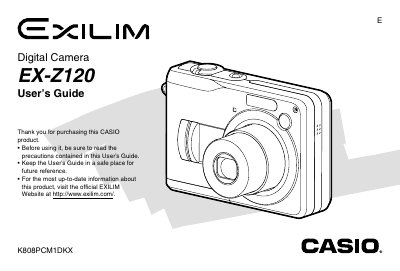
The Casio EX-Z120 is a digital camera featuring a 2.0-inch TFT color LCD monitor with 84,960 pixels (354 x 240) resolution and an optical viewfinder. It supports various recording modes including Snapshot, Movie, Business Shot, and ID Photo recording, as well as continuous shooting and voice recording capabilities.
| Monitor Screen Resolution | 84,960 pixels (354 x 240) |
|---|---|
| Power Supply | Two AA-size alkaline batteries |
| USB Interface | USB 2.0 (Full-Speed) |
| Weight | Approximately 138 g |
The camera uses an SD Memory Card for storage.
The camera requires two AA-size alkaline batteries, rechargeable nickel-metal hydride batteries, or lithium batteries.
The approximate operating time for continuous recording is 11 minutes when using Panasonic alkaline batteries.
The camera measures approximately 90 mm in width, 60 mm in height, and 27.2 mm in depth.