
User manual of VT670/VT570/VT470/VT47, including the connection method and usage methods of the product
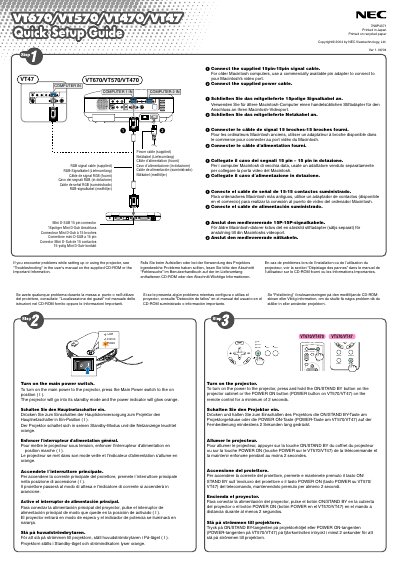
This guide explains how to unpack the projector and connect the supplied cables, including the power cable and RGB signal cable. It shows how to turn the unit on by using the main power switch or holding the ON/STAND BY button for at least two seconds, and how to select a video source with the COMPUTER 1/2 or SOURCE button.
It also describes image adjustments such as using the focus ring for sharp focus, the zoom lever for image size, the adjustable tilt foot for height, and the Auto Keystone correction feature to fix vertical distortion without any special operation. Additional tips on troubleshooting are provided on the supplied CD‑ROM.
Use the Auto Keystone correction feature; no special operation is required, just place the projector on a flat surface.
Turn the focus ring until the projected image is sharp.