
NEC VT695/VT595/VT590/VT490/VT59/VT49 Quick Start Guide

This quick setup guide introduces how to set NEC display.
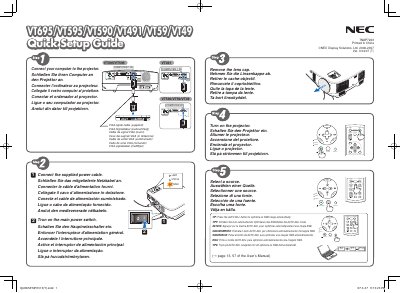

NEC VT695/VT595/VT590/VT490/VT59/VT49 Quick Start Guide - cover page
Brand
NEC
Category
Projector
Document type
Quick Start Guide
Language
English
Pages
2
File format
PDF
File size
822 KB
Published
10 May, 2012
Updated
30 September, 2023
MD5 checksum
4DFE0DE167FEDD741F3C6D82ED07A57B

About this manual

This guide provides basic connection instructions for NEC VT series projectors, including VGA cable connections, power plug, lamp status indicators, and tilt‑foot adjustment. It also explains how to safely disconnect the power cable.

The manual describes key features such as automatic keystone correction, manual keystone adjustment, and focus controls, with multilingual captions for easy reference across several languages.

What's inside

  • Connections
  • VGA
  • Power
  • Lamp Status
  • Auto Keystone
  • Focus
  • Tilt Adjustment
  • Power Cable Disconnection

Frequently asked questions

How do I adjust the tilt foot of the projector?

Adjust the tilt foot as described in the manual.

How do I disconnect the power cable safely?

Unplug the power cable from the outlet.

Is automatic keystone correction available on these models?

Yes, the Auto Keystone function is available on VT695 and VT595.

Download PDF (822 KB)

More NEC Manuals


View all NEC manuals →