
The Epson Stylus Office B1100 is a fast A3+ business printer that produces high-quality results up to A3+. This printer gives your office the flexibility to print large, vibrant graphics and documents at fast speeds of up to 30 ppm in black and 17 ppm in colour. It also features the Epson Micro Piezo™ printhead and DURABrite Ultra Inks, which produce bright graphics, detailed photos and laser-like prints that are water, smudge and even highlighter resistant.
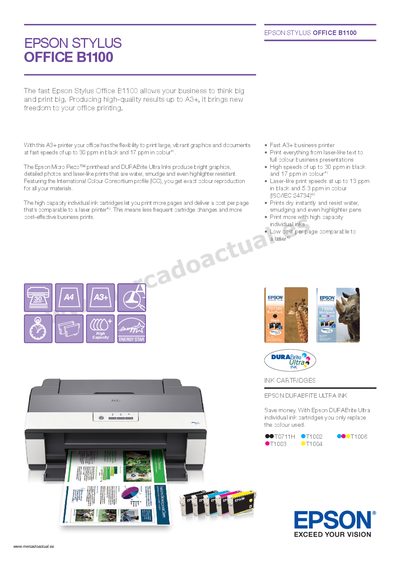
The Epson Stylus Office B1100 is a compact A3+ inkjet printer that delivers high‑quality colour and black‑white prints at speeds up to 30 ppm in black and 17 ppm in colour. It uses Epson’s Micro Piezo™ printhead and DURABrite Ultra inks for water‑ and smudge‑resistant results.
The guide covers printer specifications, ink cartridge replacement, USB connectivity, paper handling capacities, power consumption, supported operating systems, warranty information, and what is included in the box.
| Print technology | 4‑colour inkjet printer, Epson Micro Piezo™ printhead |
|---|---|
| Print resolution | Up to 5760 × 1440 optimized dpi |
| Print speed (black) | Up to 30 ppm |
| Interface | USB, H‑Speed USB compatible with USB 2.0 |
| Paper capacity | 120 sheets A4 plain paper |
| Ink cartridges | 5 individual cartridges (Black, Cyan, Magenta, Yellow) |
| Power consumption (printing) | Approx. 26 W |
| Dimensions (including carton) | 707 × 426 × 318 mm |
| Weight (including carton) | 15 kg |
The B1100 can print black text at up to 30 ppm.
It uses five individual ink cartridges: black, cyan, magenta, and yellow.
The printer connects via USB with H‑Speed USB compatible with the USB 2.0 specification.