
The MAX9000 family is a combination of a high-speed operational amplifier, a 185ns comparator, and a precision 1.230V reference.
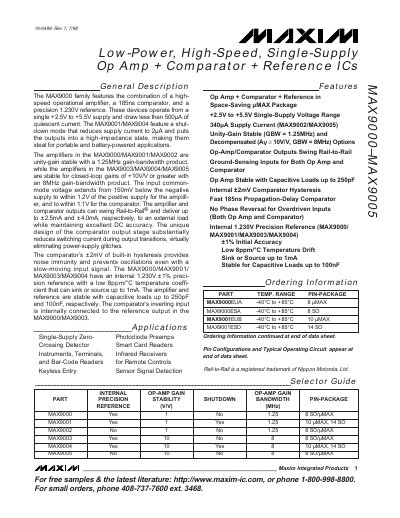
The MAX9000 family offers a high‑speed operational amplifier, a 185 ns comparator and a precision 1.230 V reference, all powered from a single +2.5 V to +5.5 V supply. The devices are designed for portable and battery‑powered applications, featuring rail‑to‑rail output swing and low quiescent current.
The series includes several variants (MAX9000, MAX9001, … MAX9005) with different gain‑bandwidth products, shutdown modes and load‑drive capabilities. Detailed electrical characteristics, absolute maximum ratings and typical performance curves are provided for each part.
| Supply voltage range | +2.5 V to +5.5 V |
|---|---|
| Quiescent current | < 500 µA |
| Gain‑bandwidth product (op‑amp) | 1.25 MHz (unity‑gain) / 8 MHz (gain ≥10) |
| Output swing | Rail‑to‑Rail |
| Internal reference voltage | 1.230 V ±1 % |
It operates from a single +2.5 V to +5.5 V supply.
The devices draw less than 500 µA of quiescent current.
Unity‑gain stable versions have a 1.25 MHz GBW; versions stable for gains of 10 V/V or greater have an 8 MHz GBW.
Each part includes a 1.230 V ±1 % precision reference.