
HDX101 is an powerline network card from Yibo, it supports 802.11ac standard, the maximum speed can reach 1200Mbps, and it supports encrypted transmission. It is suitable for scenes where wired network coverage is not complete.
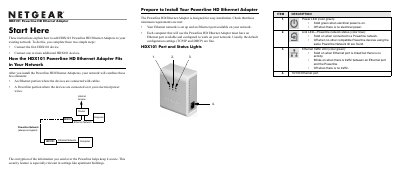
The HDX101 Powerline HD Ethernet Adapter lets you extend your Ethernet network over existing electrical wiring. It combines a wired Ethernet segment with a Powerline segment, encrypting traffic for secure communication.
The manual covers preparation, installation of the first device and additional units, LED status meanings, Powerline network ID configuration, and troubleshooting tips. It also includes technical support information and registration details.
| Power LED color | green |
|---|---|
| Link LED color | blue |
| Ethernet traffic LED color | green |
| Ethernet port speed | 10/100 |
The Power LED shows green when the device has power, the Link LED (blue) is solid when the Powerline network is connected, and the Ethernet traffic LED (green) blinks when data is passing through the Ethernet port.
Plug the blue Ethernet cable from the HDX101 into a LAN port on your router, connect the HDX101 to an electrical outlet, and then connect the other end of the Ethernet cable to the HDX101. Repeat for additional units and wait for the LEDs to indicate successful connection.
Run the NETGEAR HDX101 Configuration Utility, go to the Security tab, type the desired Network ID in the “Set Network ID” box, and click Set All Devices to apply the change.