
NETGEAR Universal WiFi Internet Adapter (WNCE2001) is a universal WiFi adapter that can connect to your TV, XBox or Blu-ray player, allowing you to watch streaming video, play online games or use other network applications.
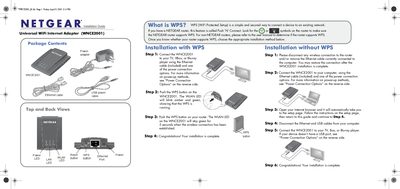
This guide explains how to install the NETGEAR WNCE2001 Universal WiFi Internet Adapter. It describes the package contents, explains WPS (Wi‑Fi Protected Setup), and provides step‑by‑step instructions for both WPS and non‑WPS installations.
The document also details power connection options (wall adapter or USB cable), LED status indicators, and includes a FAQ section that addresses common issues such as power source selection, DHCP requirements, and LED color meanings.
| Power connection options | Wall outlet via power adapter or USB port via USB power cable |
|---|---|
| Included cables | Power adapter and USB power cable |
Using the USB power cable option allows you to free up one power outlet.
The Power and LAN LEDs should remain solid green. The WLAN LED should remain solid green or amber.