
The Linksys Wireless-G Broadband Router is the world's #1 choice for wireless networking. It connects multiple computers to your broadband Internet with fast wireless connections and secure Internet connections. The router comes with Linksys EasyLink Advisor (LELA) which makes it easy to connect and get up and running in minutes.
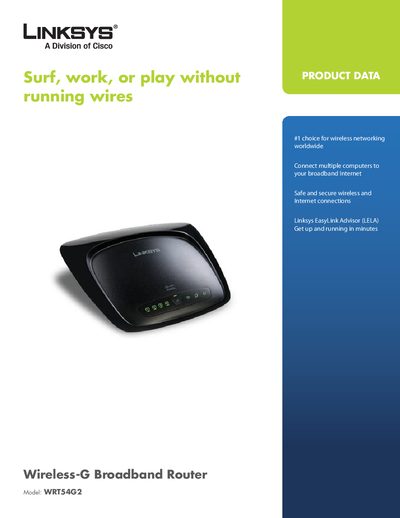
The Linksys WRT54G2 Wireless-G Broadband Router combines an access point, a 4‑port 10/100 Ethernet switch, and routing functions in a single device. It supports both Wireless‑G (802.11g) and Wireless‑B (802.11b) standards, offers WPA2 security, SPI firewall, and Wi‑Fi Protected Setup for easy wireless configuration.\n\nThis manual explains the router’s features, hardware specifications, package contents, and minimum system requirements for web‑based configuration. It also includes step‑by‑step setup instructions, security configuration details, and troubleshooting tips.
| Model | WRT54G2 |
|---|---|
| Standards | IEEE 802.3, IEEE 802.3u, IEEE 802.119, IEEE 802.11b |
| Internet Port | One 10/100 RJ-45 Port |
| LAN Ports | Four 10/100 RJ-45 Switched Ports |
| Power Port | One Power Port |
| Buttons | One Reset Button, One WPS Button |
| LED Indicators | Power, Wireless, LAN (1‑4), Internet, Wi‑Fi Protected Setup (WPS) |
| Antennas | 2 Internal Antennas |
| Security Features | Stateful Packet Inspection (SPI) Firewall, Internet Policy |
| Security Protocols | WPA2, WEP, Wireless MAC Filtering |
| Dimensions | 7.99" x 1.38" x 6.3" (203 x 35 x 160 mm) |
| Weight | 0.28 kg |
| Power Supply | External, 12V DC, 0.5A |
| Certifications | FCC, UL, CE, Wi‑Fi (802.11b, 802.11g), WPA2, WMM |
| Operating Temperature | 32 to 104°F (0 to 40°C) |
| Storage Temperature | -4 to 140°F (-20 to 60°C) |
| Operating Humidity | 10 to 85%, Noncondensing |
| Storage Humidity | 5 to 90%, Noncondensing |
Press the WPS button on the router and on the WPS‑enabled device to automatically create a WPA2 connection.
It has one 10/100 RJ‑45 Internet port and four 10/100 RJ‑45 LAN switched ports.