
Key facts
- Brand
- Wireless-G
- Model
- WRT54G
- Category
- Router
- Documents
- 2
- Languages
- EN
- Last added
- 2012-05-08
Start here
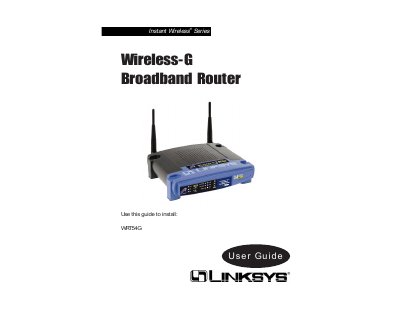
Linksys WRT54G Wireless-G Broadband Router User Guide
This guide provides step‑by‑step instructions for setting up the Linksys WRT54G Wireless‑G Broadband Router, including hardware connections, basic configuration via the web‑based utility, and security settings such as WEP encryption and VPN pass‑through. It also covers network concepts like IP addressing, DHCP, and NAT, helping users create a secure home or office network.
Additional sections describe the router’s front‑panel LEDs, reset procedures, and detailed troubleshooting tips. Appendices contain technical specifications, warranty information, and contact details for Linksys support.
Wireless-G WRT54G specifications
| Model | WRT54G2 |
|---|---|
| Standards | IEEE 802.3, IEEE 802.3u, IEEE 802.119, IEEE 802.11b |
| Internet Port | One 10/100 RJ-45 Port |
| LAN Ports | Four 10/100 RJ-45 Switched Ports |
| Power Port | One Power Port |
| Buttons | One Reset Button, One WPS Button |
| LED Indicators | Power, Wireless, LAN (1‑4), Internet, Wi‑Fi Protected Setup (WPS) |
| Antennas | 2 Internal Antennas |
| Security Features | Stateful Packet Inspection (SPI) Firewall, Internet Policy |
| Security Protocols | WPA2, WEP, Wireless MAC Filtering |
| Dimensions | 7.99" x 1.38" x 6.3" (203 x 35 x 160 mm) |
| Weight | 0.28 kg |
| Power Supply | External, 12V DC, 0.5A |
| Certifications | FCC, UL, CE, Wi‑Fi (802.11b, 802.11g), WPA2, WMM |
| Operating Temperature | 32 to 104°F (0 to 40°C) |
| Storage Temperature | -4 to 140°F (-20 to 60°C) |
| Operating Humidity | 10 to 85%, Noncondensing |
| Storage Humidity | 5 to 90%, Noncondensing |
Source: Linksys WRT54G2 Wireless-G Broadband Router User Manual
All Wireless-G WRT54G documents by type
Day-to-day operation, settings and troubleshooting. Start here if the product is already set up.
Questions answered in these manuals
How do I quickly set up the wireless network?
Press the WPS button on the router and on the WPS‑enabled device to automatically create a WPA2 connection.
From: Linksys WRT54G2 Wireless-G Broadband Router User Manual
How many Ethernet ports does the router provide?
It has one 10/100 RJ‑45 Internet port and four 10/100 RJ‑45 LAN switched ports.
From: Linksys WRT54G2 Wireless-G Broadband Router User Manual
What does the Power LED indicate?
The Power LED lights green when the power adapter is connected correctly and the router is receiving power.
How can I access the router’s web‑based configuration utility?
Open a web browser and navigate to the router’s default IP address (usually 192.168.1.1) to launch the web‑based utility.