
The MSI-30BC intelligent initiating devices manual stations provide the markets’ most advanced method of address programming and supervision, combined with sophisticated control panel communication.
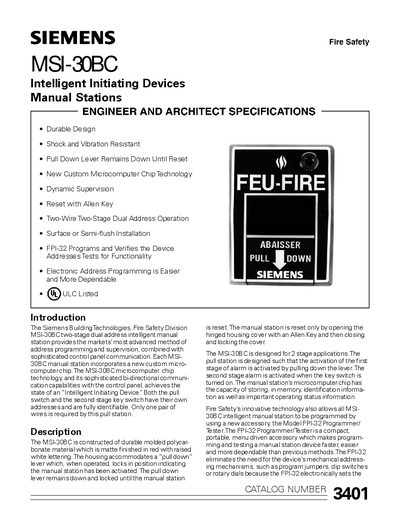
The MSI-30BC is a two‑stage dual‑address intelligent manual station built from durable molded polycarbonate with a matte red finish and raised white lettering. It features a pull‑down lever that locks in the activated position until the device is reset with an Allen key, and a microcomputer chip that stores address and status information.
The manual covers mounting options (surface or semi‑flush), wiring diagrams, compatible control panels (MXL, MXLV, IXL with ICON module), and programming using the optional FPI‑32 Programmer/Tester. UL‑Canada listing and vibration‑resistant construction are also detailed.
| Housing material | Durable molded polycarbonate |
|---|---|
| Color | Matte red with raised white lettering |
| Addressing | Two‑stage dual address, programmable electronically |
| Power/communication | Single pair of wires |
| Mounting options | Surface or semi‑flush |
| Compatible control panels | MXL, MXLV, IXL (requires ICON module) |
| UL listing | ULC listed (Underwriters Laboratories of Canada) |
The manual station is reset by opening the hinged housing cover with an Allen key and then closing and locking the cover.
The FPI‑32 Programmer/Tester is used to program and verify the addresses of the MSI‑30BC.
The device can be surface mounted or semi‑flush mounted.
It communicates with MXL, MXLV, and IXL control panels (IXL requires the ICON module).