
This manual provides detailed information about GY-HD250U Studio Systems, including system components, specifications, system configurations and price lists.
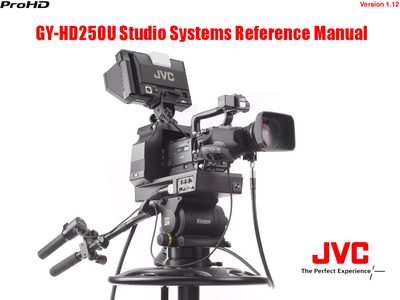
This reference manual describes the JVC GY‑HD250U studio camera system and its associated adapters, viewfinders, and control units. It covers short‑, medium‑, and long‑length fiber‑cable configurations, as well as POV pan/tilt setups and supplementary information such as menu settings and cable usage.
Key sections include detailed system diagrams, price and component lists, weight and power dissipation tables, and instructions for connecting accessories like the KA‑HD250U studio adapter, VF‑HP840U viewfinder, and RM‑P210U control unit.
| Weight (GY‑HD250U) | 8.4 lbs |
|---|---|
| Power dissipation (GY‑HD250U) | 23.0 W |
| Weight (KA‑HD250U) | 10.5 lbs |
| Power dissipation (KA‑HD250U) | 6.0 W |
Set the GY‑HD250U’s “VF SIGNAL” menu to “RGB” when using the VF‑P400U.
Yes, the GY‑HD250U can be used as an ENG camera by detaching it from the KA‑HD250U/U(A).
Set the GY‑HD250U’s “TALLY SYSTEM” menu to “STUDIO”.