
This document is an installation guide that explains how to connect the network camera to the power supply and network, as well how to mount or place the camera for regular use.
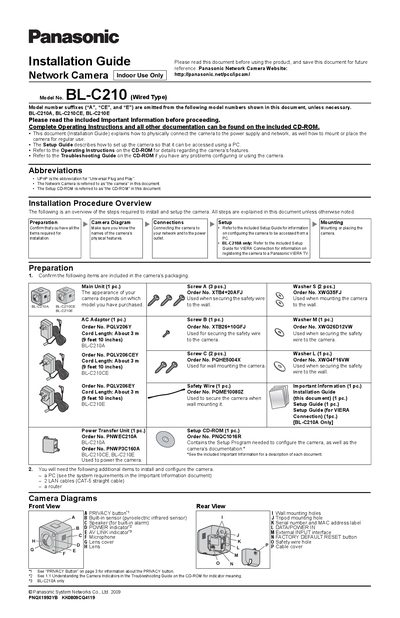
The guide provides step‑by‑step instructions for preparing the camera package, connecting the LAN cable and power‑transfer unit, and verifying power indicators. It also references the Setup Guide on the included CD‑ROM for configuring network access and optional VIERA TV connection.
Mounting instructions cover wall and tripod installation, required screws, washers, and safety wire, as well as recommended pull‑out strength and indoor‑only placement. Additional notes describe the built‑in pyroelectric infrared sensor, privacy button operation, and environmental considerations for optimal performance.
| Detection range (front) | about 5 m (16 ft 5 in) |
|---|---|
| Horizontal field of view | about 28° |
| Vertical field of view | about 71° |
| Maximum LAN cable length | 30 m (98 ft 5 in) |
| Power adaptor cord length | about 3 m (9 ft 10 in) |
| Indoor use | Indoor Use Only |