
The measurement functions of this watch are not intended for professional or industrial precision. The values provided by this watch should be considered reasonably accurate representations. CASIO COMPUTER CO., LTD. assumes no responsibility for any loss or claims by third parties that may arise from the use of this watch.
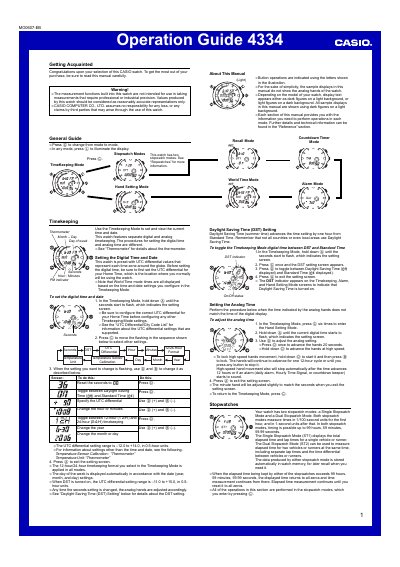
The guide introduces the Casio 4334 watch and walks you through basic functions such as setting the digital time, configuring UTC differentials, and using the World Time mode. It also covers the thermometer, countdown timer, and alarm settings, including daylight‑saving adjustments.
Detailed sections describe the two stopwatch modes, memory management, illumination (EL panel and auto‑light switch), and reference information for advanced features. Each operation is illustrated with button sequences and safety notes.
| Memory capacity | 50 records |
|---|---|
| UTC differential range | -12.0 to +14.0 (0.5‑hour steps) |
| Countdown timer range | 1 minute to 100 hours |
| Illumination type | EL (electro‑luminescent) panel |
| Auto‑light switch auto‑off | ≈6 hours after activation |
| Stopwatch maximum time | 99 h 89 min 59.99 s |
Enter Timekeeping Mode, hold down the button until the seconds flash, then use the buttons to adjust hours, minutes, and other settings.
Press ©) to start elapsed time measurement; press @) to stop the measurement and reset the stopwatch.
The watch has an EL panel that lights the display, and an auto‑light switch that activates when tilted; you can also press (L) to illuminate the display for about 1.5 seconds.