
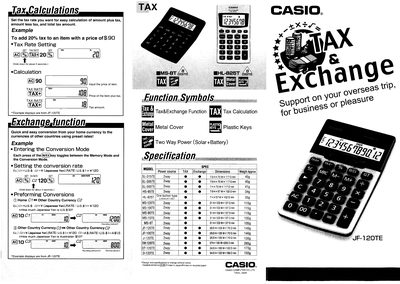
The JF-120TE is a compact Casio calculator designed for quick tax calculations and currency conversions. It features a two‑way power system that can run on solar energy or a battery, and it includes preset exchange rates for common currencies.
The manual explains how to set a tax rate by holding the tax key for about two seconds and using the SET TAX RATE function, and how to toggle between memory and conversion modes with the (W/EX) key. Example calculations demonstrate adding a 20% tax to a $90 item and converting U.S. dollars to Japanese yen.
| Dimensions | 75 mm × 70 mm × 117 mm |
|---|---|
| Power source | Two‑Way Power (Solar+Battery) |
Hold down the tax key for about two seconds and use the SET TAX RATE function to enter the desired percentage.
Press the (W/EX) key; each press toggles between Memory Mode and Conversion Mode.