
This is a quick setup guide for the TE-M80 electronic cash register, which introduces how to make a sale, initial setup and report printing.
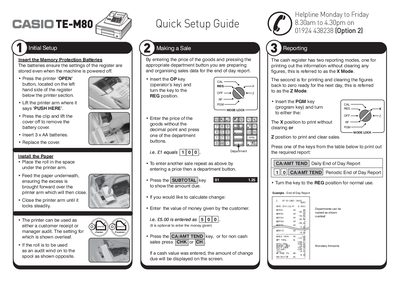
This manual guides users through the quick setup of the TE-M80 cash register, including battery installation, paper loading, and basic operation for sales and reporting. It also covers programming functions such as company logo, department names, and prices, as well as date and time settings.
Additional sections address common errors, receipt and spool printing, and detailed key functions, helping operators maintain smooth daily use and resolve issues quickly.
| Memory protection batteries | 3 x AA batteries |
|---|---|
| Paper type | 57 mm thermal paper |
| Company logo line length | 24 characters per line, up to 5 lines |
Open the printer arm, lift the battery cover, insert three AA batteries, and replace the cover.
Insert the PGM key, turn to PGM position, press 2, select the line number, type the text, then press CA/AMT TEND to save and SUBTOTAL to finalize.
Insert the PGM key, turn to PGM position, press 1 for date (YYMMDD) or 7 for time (HHMM), then press X/DATE TIME and AC C to finalize.
Check that you are using 57 mm thermal paper.