
QT-6000 is the new generation cash register from Casio. It has a touch screen and a graphical interface. It can display orders, cars in the queue, and the time they were opened. It can also perform batch operations on orders, which improves cashier efficiency.
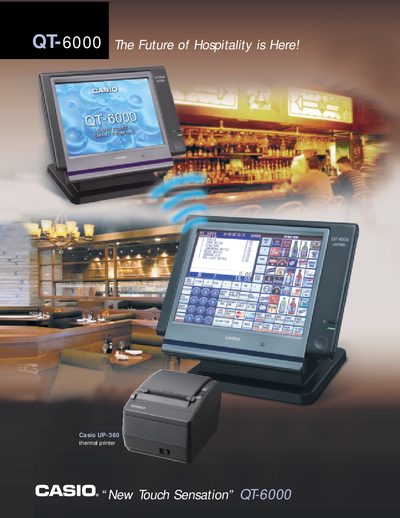
The QT-6000 features a 12.1" flat‑panel TFT colour touchscreen that lets operators assign graphical icons to keys and use sound cues. It includes a 10/100 Base‑TX Ethernet port and optional wireless communication for fast, reliable networking without a Windows OS.
Designed for restaurant environments, the system provides table‑service tools such as a room‑screen with colour‑coded table status, split‑check handling, and a drive‑thru screen. Additional functions include a large electronic journal, barcode scanning, optional magnetic‑stripe reader, and integration with external thermal printers and video surveillance.
| Display | 12.1" flat panel TFT colour touchscreen |
|---|---|
| Network | Ethernet 10/100 Base TX |
| Wireless | Optional wireless communications |
| Magnetic stripe reader | Optional QT-6046MCR model |
| External thermal printer | Optional UP-360 model |
| Electronic journal | Large journal for audit trail |
It uses a 12.1" flat‑panel TFT colour touchscreen display.
Yes, it includes a 10/100 Base‑TX Ethernet network.
Yes, an optional magnetic stripe reader (QT-6046MCR) can be added for credit/debit operations.
It links servers to a room screen with colour‑coded tables, shows table status, allows split checks, and supports master/backup master configuration.