
This manual introduces the use of CASIO watch 5038. The watch needs to be exposed to bright light frequently to charge. If the watch is not in contact with light for a long time, the battery will run out of power and some functions will stop.
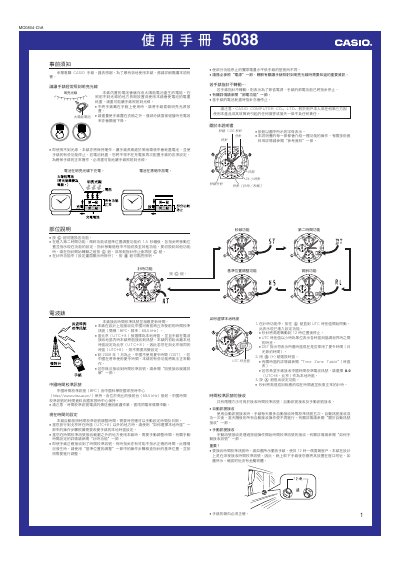
This manual provides step‑by‑step instructions for using the Casio 5038 solar‑powered watch. It covers basic operation, button functions, time‑zone settings, alarm configuration, stopwatch use, and how to receive the Chinese atomic time‑calibration signal both automatically and manually.
Safety warnings, battery‑charging guidelines, automatic illumination details, and troubleshooting tips are also included to help keep the watch running accurately for months on a single charge. This manual is written in Chinese.
| Battery type | Solar cell + rechargeable secondary battery |
|---|---|
| Stopwatch limit | 59 min 59.99 s |
| Low‑battery indicator | "LO" appears when battery is very low |
Place the watch with the 12 o’clock side facing a window, then in the timing function hold the A button about two seconds until the watch beeps; the second hand moves to READY, indicating it is ready to receive the signal.
In the timing function (outside of setting screens), hold the B button for about three seconds to toggle automatic illumination on or off.
"LO" appears on the display when the battery level is very low, and the second hand will jump every two seconds.