
This is an introduction to a product of a certain brand
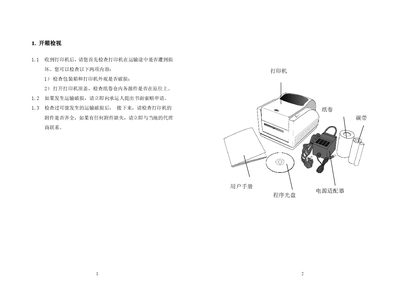
This manual guides users through the initial inspection of the printer after delivery, including checking the packaging and confirming that all accessories are present. It then covers safe power connection, installation of paper rolls, and explains the three operating modes – standard, peel, and cutter – with detailed procedures for each.
Additional sections describe the main components, how to install and adjust the ribbon (not required for thermal printing), and include a customer feedback survey form for service evaluation. This manual is written in Chinese.
The printer can run in standard mode, peel mode (automatically separates the label from the backing after printing), and cutter mode (automatically cuts the label after printing).