
This document provides safety information and instructions for disposing of packaging materials before setting up the printer. It also includes a guide for installing the driver and utilities for the PagePro 1300W printer on a PC running Windows 2000/XP or Windows 98/Me. The printer features a USB connection.
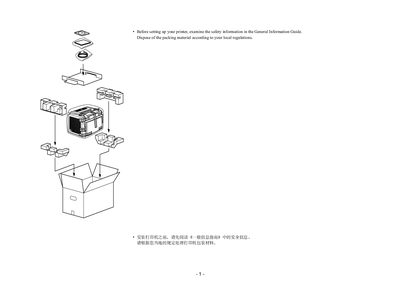
This guide provides the steps needed to install and set up the PagePro 1300W printer. Before beginning, read the safety information in the General Information Guide and dispose of packing material according to local regulations.
The document lists the printer's physical dimensions, paper handling capabilities, and required software utilities. It also points to the PagePro 1300W Utilities & Documentation (setup.exe) for driver installation and further configuration.
| Maximum width | 380 mm (14.2 in) |
|---|---|
| Maximum depth | 283 mm (11.1 in) |
| Maximum height | 348 mm (13.7 in) |
| Supported paper weight | 60‑90 g/m² |
Examine the safety information in the General Information Guide before setting up the printer.
The printer measures 380 mm (14.2 in) wide, 283 mm (11.1 in) deep, and 348 mm (13.7 in) high.
The PagePro 1300W Utilities & Documentation (setup.exe) provides the necessary drivers and software.