
ADV7192 is a video encoder produced by ADI company. It supports 6 10-bit DACs, 54MHz sampling rate and progressive scan input. It has multiple video input and output formats, multiple video control functions, multiple video filters, etc.
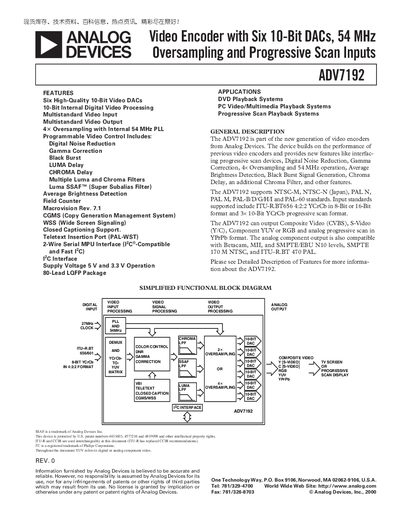
The ADV7192 is a video encoder that supports multiple video standards (NTSC‑M, NTSC‑N, PAL‑N, PAL‑M, PAL‑B/D/G/H/I, PAL‑60) and offers six high‑quality 10‑bit DACs, digital noise reduction, gamma correction, and programmable video controls. It can output composite, S‑Video, component YUV or RGB signals and works with 5 V or 3.3 V supplies.
The device is supplied in an 80‑lead LQFP package and includes detailed specifications for static performance, dynamic performance, timing characteristics, and power requirements. Pin configurations, register maps, and application notes are provided for system designers.
| Resolution (Each DAC) | 10 Bits |
|---|---|
| Integral Nonlinearity | 1.0 LSB |
| Input High Voltage (Vine) | 2.0 V |
| PLL Output Frequency | 54 MHz |
It supports NTSC‑M, NTSC‑N (Japan), PAL‑N, PAL‑M, PAL‑B/D/G/H/I and PAL‑60 standards.
The device can operate from either a 5 V or a 3.3 V supply.
It is offered in an 80‑Lead LQFP (ST‑80) package.
The internal PLL generates a 54 MHz output frequency.