
This document is a user manual for a portable CD player. It introduces the features and characteristics of the product, including the electronic skip protection function (ESP), the power saving mode, the pause and hold function
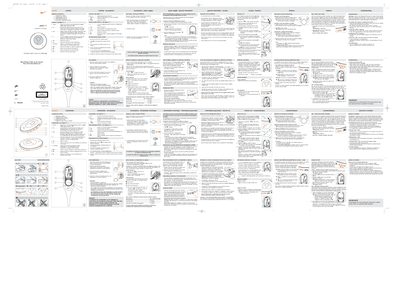
The ACT500 is a compact portable CD player designed for sport activities. It includes headphones, a remote control (AY3781), a 4.5 V/300 mA power adapter (AY3170), two AAA alkaline batteries and a hand‑strap/waist pack. The guide describes the control buttons, mode selections (shuffle, repeat, bass boost) and how to attach the strap.
Battery information, charging procedures for the optional ECO‑PLUS NiMH rechargeable pack, safety warnings (including pacemaker advisory), and in‑car usage with specific voltage converters (AY3545/AY3548) are also covered. Environmental disposal instructions and cleaning tips are provided at the end of the document.
| Model | ACT500 |
|---|---|
| Laser Class | Class 1 |
| Battery Type | 2 × AAA alkaline |
| Battery Life (normal AAA) | 3 hours |
| Battery Life (rechargeable NiMH) | 10 hours |
| Headphone Socket | 3.5 mm |
| Remote Control Model | AY3781 |
Press the power button; the indicator lights turn green and playback starts.
It uses two AAA alkaline batteries, with optional rechargeable ECO‑PLUS NiMH packs.
Plug the headphones into the 3.5 mm headphone socket on the player.