
Archos 24 Vision User Manual

This document is the user manual of Archos M5075T
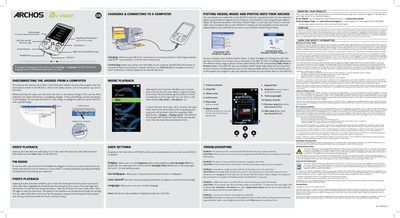

Archos 24 Vision User Manual - cover page
Brand
Archos
Category
Other device
Document type
User Manual
Language
English
Pages
2
File format
PDF
File size
486 KB
Published
27 March, 2012
Updated
30 September, 2023
MD5 checksum
5D74C356AB8332217ACDF62BABBDA368

About this manual

This manual provides step‑by‑step instructions for using the Archos 24 Vision, covering video, music, photo playback, FM radio, and basic device settings. It also explains how to connect the player to a computer, charge the battery, and safely remove the device.

Additional sections cover troubleshooting common issues, registering the product for support, and important warranty and safety information such as battery handling and FCC compliance.

What's inside

  • Video Playback
  • FM Radio
  • Photo Playback
  • Charging & Connecting to a Computer
  • Music Playback
  • User Settings
  • Transferring Media
  • Troubleshooting
  • Product Registration
  • Warranty and Safety Information

Specifications

USB connectivityUSB port for computer connection

Frequently asked questions

How do I change the language of the device?

Open Settings, select Language, and then choose the desired language.

How can I safely remove the Archos from a computer?

Click the ‘safely remove’ icon in the system tray before unplugging the USB cable.

How does the device charge when connected to a computer?

The Archos automatically charges while it is connected to a powered computer via the USB cable.

Download PDF (486 KB)

More Archos Manuals


View all Archos manuals →