
ARCHOS 105 User Manual, introduce how to connect, play music, pictures, videos
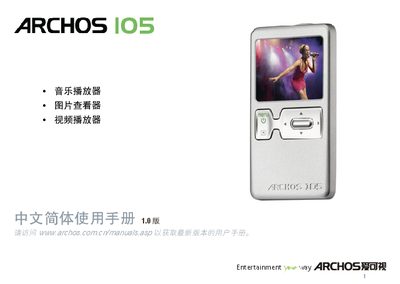
The Archos 105 is a compact MP4 player with music, video, photo, and browsing functions. It supports a variety of audio formats (MP3, WMA, WAV) and video playback (WMV9) on a 1.8" OLED screen.
This manual covers first‑time setup, charging, USB connection, firmware updates, character‑set settings, and detailed specifications. It also includes troubleshooting tips and contact information for technical support. This manual is written in Chinese.
| Screen | 1.8" OLED, 160 × 128 pixels, 262 000 colors |
|---|---|
| Video Playback | WMV9, 160 × 128 @ 25 fps |
| Audio Playback | Stereo MP3 30‑320 kb/s CBR & VBR, WMA, WAV (PCM) |
| USB Interface | High‑speed USB 2.0, compatible with USB 1.1 |
| Battery Life | Up to 18 hours of playback |
| Headphone Jack | 5 mm stereo headphone connector |
In Settings > Display you can select a character set such as Korean, Japanese, or Chinese.
Connect the device with a USB 2.0 cable; it will appear as a USB Mass Storage (Hard Drive) or Windows Device.