
This document provides a quick start guide for Kodak cameras, including instructions for charging, setting language and date time, taking photos and recording videos. It also introduces the front view, top view, side view, and bottom view of the camera, as well as touch screen operations and precautions for using a memory card.
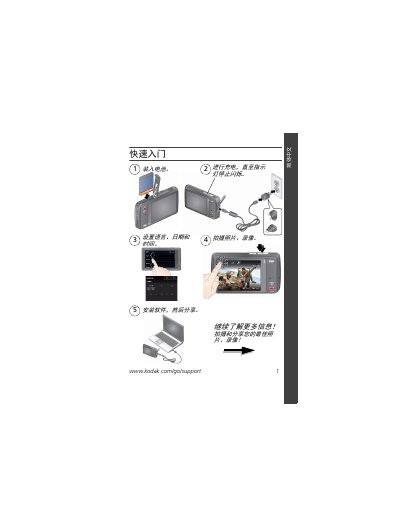
This guide provides step‑by‑step instructions for getting the Kodak M577 digital camera ready for use. It covers battery charging, language and date setup, basic shooting functions, and how to connect accessories such as a USB cable, strap, and external display.
Additional sections explain proper handling of the MicroSD/SDHC memory card, safety warnings, warranty information, and regulatory compliance for FCC, IC, and RoHS standards. This manual is written in Chinese.
| Storage Media | MicroSD/SDHC |
|---|---|
| Video Output | Micro USB, AV, HDMI |
| Battery Indicator | Green flashing = charging, green steady = full |
Connect the Kodak camera USB cable (Micro‑B/5‑pin) to the supplied charger; the battery indicator flashes while charging and stays solid when fully charged.
Open the memory‑card cover, insert the MicroSD/SDHC card in the correct orientation until you hear a click, then close the cover.