
The document provides information about the features and characteristics of the Kodak EasyShare Mini camera, including the shutter button, mode button, power button, flash, microphone, etc.
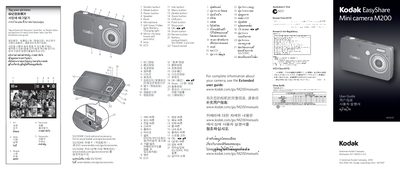
This manual explains the layout and functions of the Kodak M200 Mini Camera, describing each button such as Shutter, Mode, Power, Flash, Self‑timer/Video, Review and Share. It shows how to focus, set exposure, capture photos, record video, and navigate menus.
It also covers power management, including battery type, charging indicators (flashing green for charging, steady green for finished) and USB connectivity. Instructions for connecting the camera to a computer, installing the Kodak Share Button app, and transferring or sharing images and videos are provided.
| Battery type | Li‑ion |
|---|---|
| USB port | Present |
| Memory card slot | SD/SDHC |
Press the Shutter button halfway to focus and set exposure, then press it completely down to capture the photo.
Press the Mode button, select Video, then press OK. Press the Shutter button to start recording and press it again to stop.
A flashing green light means the battery is charging, while a steady green light indicates charging is complete.
Press the Share button, then follow the prompts to select destinations and complete the transfer using the Kodak Share Button app.