
This document introduces how to download e-manual.
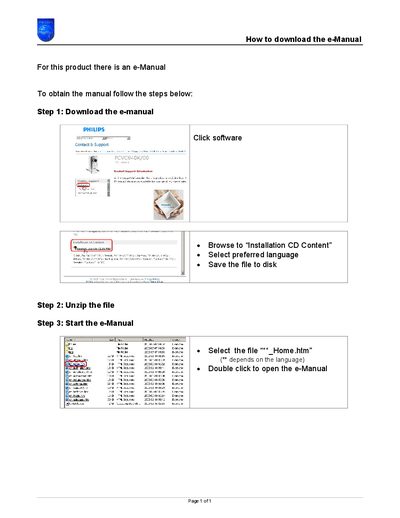
This short guide explains how to obtain the electronic manual (e‑Manual) for a Philips product. It lists the required actions from downloading the archive to opening the manual on your computer.
The process consists of three main steps: download the e‑Manual archive, unzip the downloaded file, and open the "*_Home.htm" file to view the manual. The guide also notes that you can select the preferred language before saving the file.
Download the e‑Manual archive, unzip the file, then open the "*_Home.htm" file to view the manual.
After downloading, unzip the file and double‑click the "*_Home.htm" file to start the e‑Manual.