
The document introduces the buttons and functions of a camera, including the shutter button, flash button, mode button, etc. It also introduces the various components and interfaces of the camera, such as the lens, LCD screen, USB port, etc. It also describes the different modes of the camera, such as scene mode, video mode, and smart capture mode.
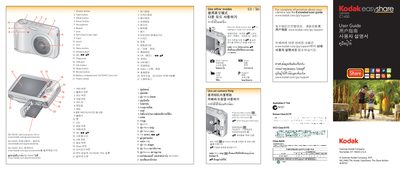
This manual describes the layout of the Kodak C1450 camera, including the shutter, flash, mode, power, LCD, menu, and share buttons, as well as the battery compartment, SD/SDHC card slot, USB port, and tripod socket. It also explains how to navigate the on‑camera Help system and adjust settings via the menu.
The guide covers essential tasks such as loading an SD/SDHC card, turning the camera on, taking pictures or videos, reviewing media, and installing the Share Button application to transfer and share images directly to social platforms.
| SD/SDHC Card slot | present |
|---|---|
| USB port | present |
| Tripod socket | present |
Load an SD/SDHC card into the slot; the card is not included with the camera.