
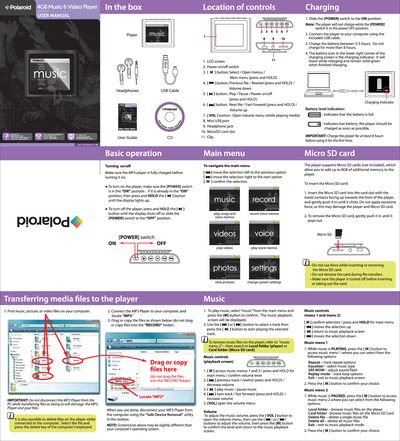
This manual covers everything you need to get started with the Polaroid PMP110-4, including how to charge the device, insert a Micro SD card, and use the on‑screen menus. Detailed descriptions of the control buttons, power switch, and LCD screen help you navigate music, video, photo, and voice‑memo functions.
You’ll also find step‑by‑step instructions for transferring media files from a computer, adjusting settings such as language and clock, and troubleshooting common issues like power problems or file‑transfer errors. Warranty information and contact details for customer support are provided at the end of the guide.
| Internal memory | 4 GB |
|---|---|
| Expandable memory | Up to 8 GB via Micro SD |
| Charging time | 3‑5 hours (first charge 8 hours recommended) |
To turn it on, press and hold the [Pil] button until the display lights up, or slide the POWER switch to ON. To turn it off, press and hold the [Pil] button until the display shuts off or slide the POWER switch to OFF.
Connect the player to a computer, locate the “MP3” folder, then drag or copy the desired files into that folder without disconnecting the device during the transfer.
Insert the Micro SD card with the metal contacts facing up into the card slot and gently push until it clicks; to remove, push it in gently until it pops out.
Check that the battery is charged and that the POWER switch is in the ON position; recharge the battery if it may be exhausted.