
Introduces the opening, calling guard, monitoring, and receiving functions of the image intercom host, and provides wiring instructions and encoding/image setting methods
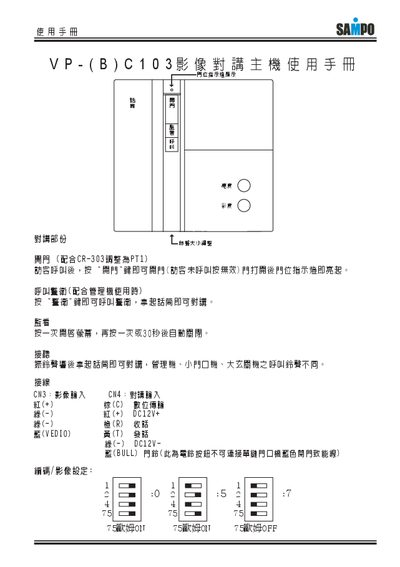
This Hometek VP-(B)C103 video intercom master user manual explains door release after a visitor call, call tone operation with a management unit, monitoring, and answering calls. It also shows CN3 and CN4 wiring labels and code/video setting information. This manual is written in Chinese.
| Input terminals | CN3 is video input; CN4 is intercom input. |
|---|---|
| Power terminals | Red (+) DC12V+; green (-) DC12V-. |
| Monitor auto-off | Screen turns off after 30 seconds or a second press. |
After a visitor calls, press the door-open key; pressing it when no visitor has called has no effect. The door position indicator lights after the door opens.
When used with a management unit, press the call tone key to call the tone, then lift the handset to talk.
Pressing the monitoring key once turns on the screen; pressing it again or waiting 30 seconds turns it off.