
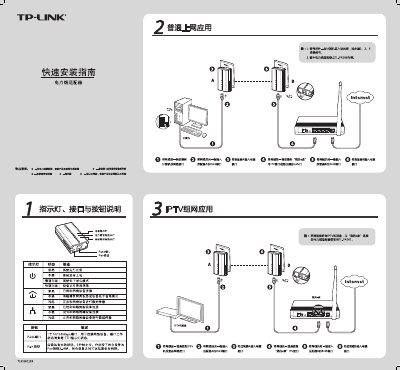
The Quick Installation Guide provides step‑by‑step instructions for setting up TP‑Link TL‑PA200 powerline adapters. It describes the LEDs, RJ45 port, and Pair button used to create a private network between two adapters.
The guide covers connecting the adapters to a router or modem, using the Pair button to establish a network, and configuring the private network via the supplied software. It also includes a FAQ section that addresses common concerns such as transmission distance, interference, and device compatibility. This manual is written in Chinese.
| Network port | 1 x 10/100Mbps RJ45 |
|---|
No, at least two adapters are required to form a network.
Generally it does not affect performance, but power strips and chargers may cause interference.
No, they use different protocol standards and cannot interoperate.