
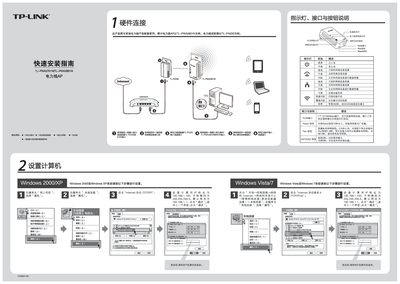
The guide provides step‑by‑step instructions for installing the TP‑Link TL‑PWA2701N/TL‑PWA2801N powerline access point. It starts with hardware connections, explains the meaning of each LED, button and RJ45 port, and shows how to reset the device.
It then details the web‑based configuration process, including setting the IP address, creating a wireless network (SSID), choosing WPA‑PSK/WPA2‑PSK security, and using the Pair button to build a private powerline network. Frequently asked questions address factory reset, wireless connection problems, and potential interference from household appliances. This manual is written in Chinese.
| Ethernet port speed | 10/100Mbps |
|---|---|
| Number of Ethernet ports | 1 |
| Reset button function | Long press 10 seconds restores factory settings |
长按设备底部的Reset按钮10秒以上即可恢复出厂设置,所有配置将被清除。
请检查电力线AP的无线功能是否已开启,并确认电脑的SSID和加密设置与AP一致。
一般情况下家电对电力线AP性能影响不大,但使用插排或充电器可能会产生干扰,建议直接插在墙壁插座上。