
This document provides information about ArcSoft Inc.'s product registration and customer service. It lists contact information for global customer service and provides an online link for program registration.
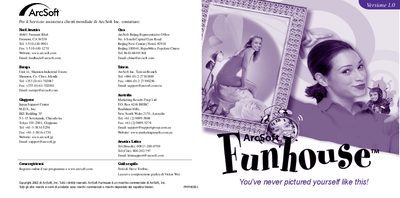
ArcSoft Funhouse is a Windows and Macintosh program that lets you combine photos with pre‑made templates to create fun, personalized images. The guide walks you through the required system specifications, installation process, and the five main steps for building an image: choose a template, add photos, optimize, add text, and preview/print.
Additional sections cover saving your finished picture, creating custom templates, sending images by e‑mail, and troubleshooting capture issues. Links to the online help file and ArcSoft support site are also provided. This manual is written in Italian.
| Supported Windows versions | Windows 98/ME/2000/XP |
|---|---|
| Supported Macintosh OS | Macintosh OS 8.6/9/X |
| Minimum RAM | 64 MB (128 MB recommended) |
| Hard‑disk space | 150 MB free |
| Display requirement | 16‑bit color (800 × 600) |
| Mac CPU requirement | Power PC |
It runs on Windows 98/ME/2000/XP or Macintosh OS 8.6/9/X, needs at least 64 MB RAM (128 MB recommended), 150 MB of free disk space, a 16‑bit color display (800 × 600), and a Power PC on Mac.
Insert the Funhouse CD, let the installation start automatically, or run X:\setup.exe manually and follow the on‑screen prompts.
From the main screen click the Save button, choose a folder, give the file a name, and select a format such as JPG.
Click the Send button, choose an e‑mail program (e.g., AOL or any MAPI‑compatible client), and confirm the send.