
This document provides information about the product registration process and customer service contact details of ArcSoft Inc. It also includes contact information for ArcSoft Inc. in different regions. The document also mentions the copyright information of ArcSoft Funhouse.
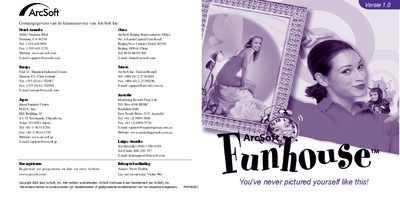
ArcSoft Funhouse is a photo‑editing program that lets you combine multiple pictures to create humorous images, such as placing faces on famous landmarks or bodies. The manual covers everything from system requirements to saving and emailing your creations.
Key sections include system requirements, installation, launching the program, selecting templates, importing photos, adjusting images, adding text, previewing prints, saving files, creating custom templates, and sending images via e‑mail. This manual is written in Dutch.
| Supported Windows OS | Windows 98/ME/2000/XP |
|---|---|
| Supported Macintosh OS | Macintosh OS 8.6/9/X |
| Processor (Windows) | Pentium‑processor or equivalent |
| Processor (Mac) | Power PC |
| RAM | 64 MB (128 MB recommended) |
| Free Disk Space (Windows) | 150 MB |
| Free Disk Space (Mac) | 200 MB |
| Color Depth | 16‑bit (800 × 600) |
It runs on Windows 98/ME/2000/XP with a Pentium‑class processor, 64 MB RAM (128 MB recommended), 150 MB free disk space and 16‑bit color at 800 × 600, or on Macintosh OS 8.6/9/X with a PowerPC, 64 MB RAM, 200 MB free disk space and the same color depth.
Insert the Funhouse CD‑ROM; the installer should start automatically. If not, run X:\setup.exe from the Start menu and follow the on‑screen prompts.
Select a template (Step 1), import photos (Step 2), adjust the images (Step 3), add optional text (Step 4), and preview the print layout (Step 5) before saving or exporting.