
The document is a manual for 40 3139 115 23601 products, which mainly introduces the features and usage methods of the products.
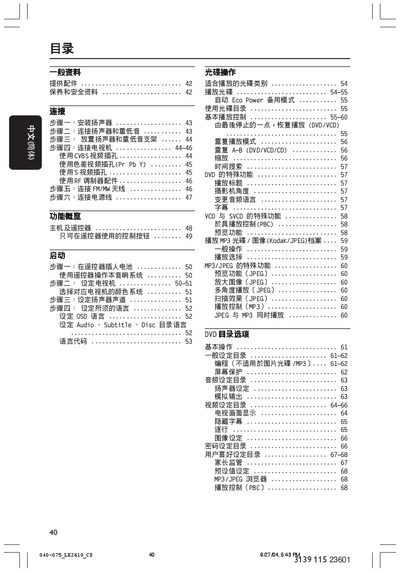
This manual covers safety precautions, included accessories, and step‑by‑step installation of the speaker and subwoofer. It also explains how to connect the player to a TV or display using CVBS, S‑Video, or component video inputs.
The guide details remote‑control operation, audio and video settings, DVD and MP3/JPEG playback features, as well as optional RF tuner and FM/MW antenna connections. Power‑saving modes and troubleshooting tips are also included. This manual is written in Chinese.
| Laser Class | Class 1 |
|---|---|
| Model | LX2610D |
Mount the speaker on the wall using the supplied screws and brackets, then attach the subwoofer with the provided screw.
Connect the SUBWOOFER OUT port to the subwoofer speaker.
Press the power button on the remote to turn on the unit and use the remote to navigate the menus.
The player supports CVBS, S‑Video, and component video inputs.