
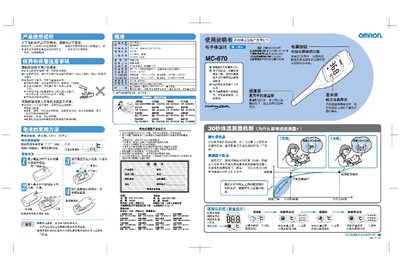
This manual explains how to safely use the Omron MC-670 electronic thermometer, including preparation, proper placement under the armpit, and the quick 30‑second prediction of body temperature. It also details care, storage, and battery replacement using a small screwdriver.
Safety warnings cover prohibited uses (e.g., ear or oral measurement), keeping the device away from children, avoiding water exposure, and proper disposal of used batteries. A troubleshooting section helps resolve common errors such as flashing symbols or abnormal readings. This manual is written in Chinese.
| Battery type | CR2016 |
|---|---|
| Prediction time | ≈30 seconds |
| Equilibrium measurement time | ≈10 minutes |
Remove the back cover with a small screwdriver and insert a new CR2016 battery with the correct polarity.
The flashing "C" indicates that the thermometer is performing the temperature prediction.
If not used for more than three months, remove the battery and keep the device in its supplied case, away from high temperature and moisture.
No. The device is designed for armpit use only; measuring on the ear or mouth may give incorrect results and cause injury.