
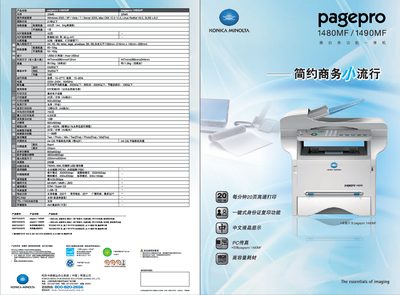
The PagePro 1480MF and 1490MF are all‑in‑one colour laser multifunction devices designed for office use. They combine high‑speed printing, copying, colour scanning and fax functions in a compact chassis.
Key functions include one‑touch ID card copying, direct scanning to USB storage, colour scanning up to 4800 × 4800 dpi, and a large‑capacity 5500‑page drum to reduce consumable costs. The manual details setup, operation, and maintenance procedures for these features. This manual is written in Chinese.
| Print speed (A4) | 20 pages per minute |
|---|---|
| Scan resolution | 4800 × 4800 dpi |
| Printing power consumption | ≤ 450 W |
| Standby power consumption | ≤ 330 W |
| Energy‑saving power consumption | ≤ 10 W |
| Duty cycle | 80 000 pages or 5 years |
| Input voltage | 220‑240 V, 50/60 Hz |
| Operating temperature | 10‑27 °C |
| Weight (with consumables) | 13 kg |
| Drum capacity | 5500 pages |
| USB interface | USB 2.0 (high speed) |
It prints at 20 pages per minute for A4 paper.
Printing consumes up to 450 W, standby up to 330 W, and energy‑saving mode as low as 10 W.
The printer is rated for 80 000 pages or 5 years of use, whichever comes first.
Yes, it supports direct scanning to USB.