
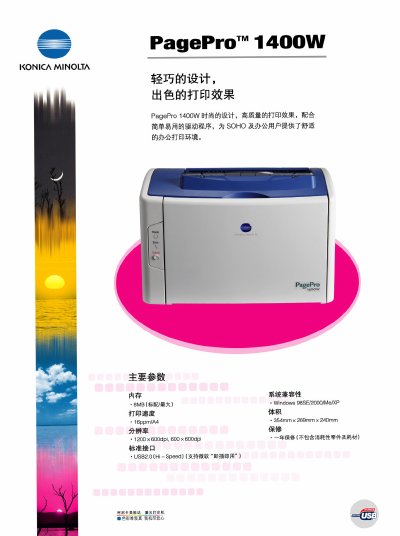
The PagePro 1400W is a compact laser printer designed for small office and home use. This manual outlines its key features, hardware specifications, and supported operating systems.
It includes information on print speed, resolution, paper handling, power requirements, consumables, and warranty, helping users install, operate, and maintain the device. This manual is written in Chinese.
| Print speed | 16 ppm/A4 |
|---|---|
| Print resolution | 1200 x 600 dpi, 600 x 600 dpi |
| Standard interface | USB 2.0 Hi‑Speed |
| Supported paper sizes | A4, A4+, Letter, A5, B5(JIS), B5(ISO), postcard, envelope, C5, C6, 16K, 32K, custom, 76 mm × 127 mm, 216 mm × 356 mm |
| Paper weight range | 60‑90 g (normal), 90‑163 g (thick) |
| Power consumption | 900 W max, 400 W average |
| Input voltage | 220/240 V, 50/60 Hz |
| Weight (without consumables) | 6.3 kg |
| Recommended monthly print volume | 9,000 pages |
| First page out time | 13 seconds |
| Warm‑up time | 21 seconds |
| Warranty | 1 year (excluding consumables) |
The printer can produce 16 pages per minute for A4 size paper.
It uses a USB 2.0 Hi‑Speed port with plug‑and‑play support.
The first page is output after about 13 seconds.