
This document is the instruction manual for EIZO NANAO CORPORATION's color LCD screen, which introduces the use of the screen, installation method, troubleshooting method, etc.
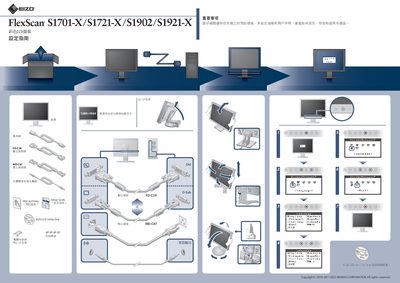
The manual covers the initial setup of the FlexScan LCD screens, including language selection, installation of the EIZO LCD Utility Disk, and mounting options such as the EZ‑UP bracket. Precautions and safety information are provided at the beginning of the guide.
Later sections address common issues like "No Signal" messages, screen brightness adjustments, and ergonomic mounting requirements. Detailed instructions for adjusting tilt, rotation, and mounting height are included, along with specifications for compatible graphics cards and display parameters. This manual is written in Chinese.
| Resolution | 1280x1024 |
|---|---|
| Graphics card requirement | VESA standard compatible |
| Minimum refresh rate | 60.0 Hz |
| Maximum mounting force | < 100 N |
| Maximum gloss level | < 20 gloss units |
Check that the computer is powered on, verify the video cable is correctly connected, and select the proper input source.
Raise the brightness, contrast, or gain settings to a higher level.