
The Zhaoyang V6 series notebook computer is a new member of the Lenovo notebook family. It supports the hot-swappable optical soft drive function, a multi-functional multimedia computer. It uses Intel's latest 0.13-micron Pentium III-M high-performance processor, supplemented by an excellent three-dimensional display controller and 13.3-inch XGA, 14.1-inch XGA and 14.1-inch SXGA+ display screens, colorful, The picture is lifelike, supports dual displays; and the stereo PCI sound card, stereo dual speakers, microphone, and the function keys that can play CDs without booting and the direct call MP3 shortcut keys make you enjoy a colorful multimedia world.
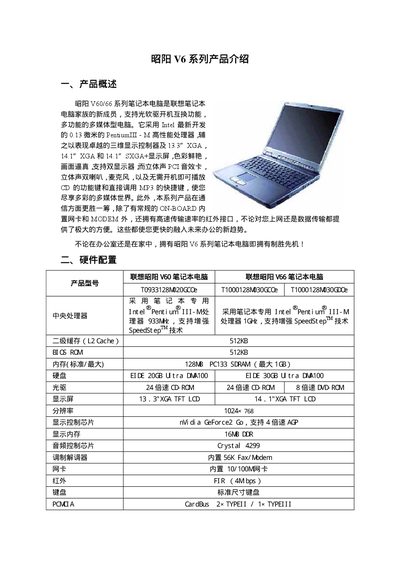
This manual introduces the Lenovo V60/V66 series notebooks, describing their hardware configuration, ports, and optional features such as infrared and wireless LAN. It provides detailed specifications for the processor, memory, storage, display, and other components.
The guide also covers practical procedures like connecting the power adapter, removing and installing the battery, using external monitors, swapping optical drives with BaySwap, and installing drivers for modem, audio, network and other devices. This manual is written in Chinese.
| Processor | Intel Pentium III‑M |
|---|---|
| L2 Cache | 512 KB |
| Memory | 128 MB PC133 SDRAM (max 1 GB) |
| Hard Disk | 20 GB EIDE |
| Optical Drive | 24× CD‑ROM |
| Display | 13.3" XGA TFT LCD |
| Resolution | 1024 × 768 |
| Graphics Chip | nVidia GeForce2 Go |
| Video Memory | 16 MB DDR |
| Audio Chip | Crystal 4299 |
| Modem | 56K Fax/Modem |
| Network Interface | 10/100 M Ethernet |
| Infrared Port | FIR 4 Mbps |
| Battery Type | High‑efficiency lithium |
| Battery Life | 3‑4 hours |
| Power Management | ACPI support |
| Dimensions | 312 × 266 × 33 mm |
| Weight | 2.6 kg |
Turn off the computer, close the lid, push the battery release/lock switch in the direction shown, then pull the battery module out; to install, insert the module until you hear a click and the lock switch resets.
Connect the monitor’s power cable, then attach its video cable to the notebook’s external display port; the system will detect the monitor and you can switch display modes using the function keys.
BaySwap allows hot‑swap of the built‑in CD or floppy drive while the notebook is running; launch the BaySwap program, select the desired drive, stop the device, remove it, insert the new module, and confirm the prompt.
Open the driver folder on the CD, run the setup program for each component, follow the prompts, and restart the computer when instructed.