
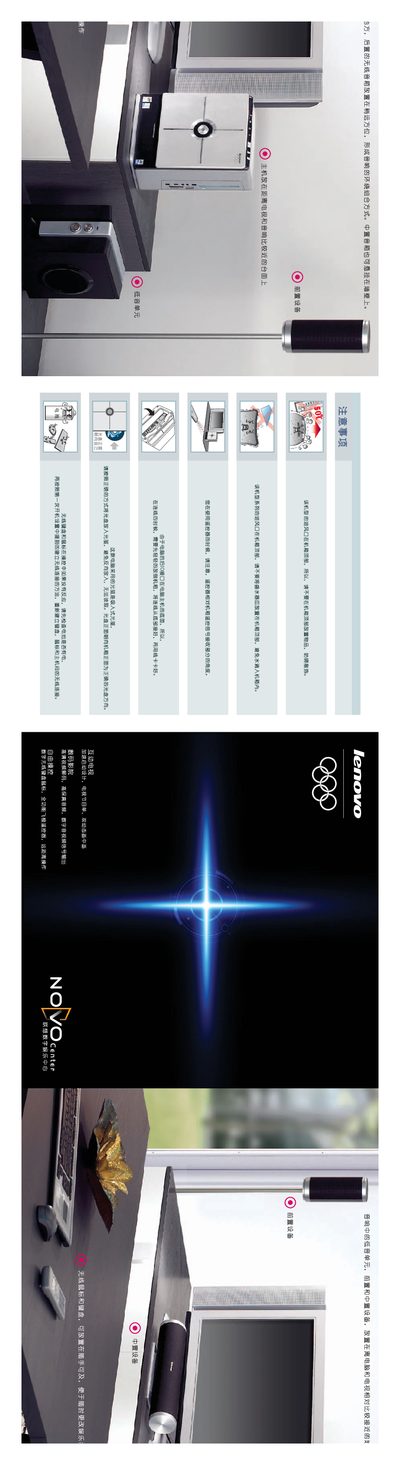
This guide explains how to place the Novo Center's speakers and connect the system to a TV. Rear wireless speakers should be positioned slightly farther away, while the central speaker can be wall‑mounted. The intake vent is located on the top of the chassis, so keep the top clear for proper cooling.
It also details first‑time setup steps: connect the VGA cable to the TV, link the 7.1 audio ports, insert batteries into the wireless keyboard and mouse, establish the wireless link, and configure internet and TV channel settings. This manual is written in Chinese.
| Intake vent location | Top of chassis |
|---|---|
| Optical drive type | 吸入式光驱 |
| Audio interface | 7.1 channel |
Rear wireless speakers should be placed slightly farther away, and the central speaker can be mounted on a wall.
The intake vent is on the top of the chassis; do not place objects on top to avoid blocking airflow.
Connect the PC's VGA output to the TV's VGA input using a VGA cable.
Insert batteries into the wireless keyboard and mouse, power them on, and they will automatically connect to the PC.