
FuJi Film PhotoKing software can easily create various ID card photos and directly edit and print photos.
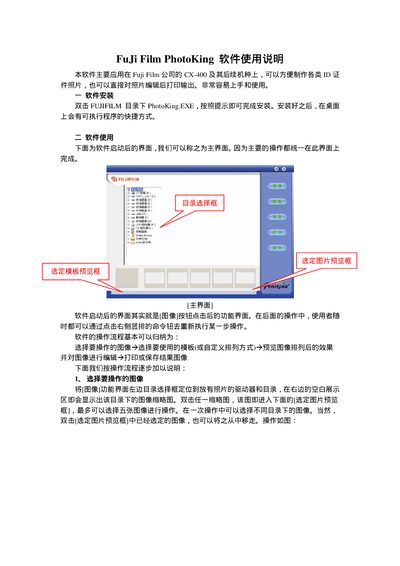
The PhotoKing software manual explains how to install and operate the application that runs on Fujifilm CX-400 and later models. It guides users through selecting images, choosing or customizing templates, previewing and editing photos, and finally printing or saving the results.
The guide covers installation steps, image selection limits, template options (including custom sizes), editing tools such as contrast, brightness, and text insertion, and printing settings to match required ID‑photo dimensions. This manual is written in Chinese.
| Supported hardware | Fujifilm CX-400 and later models |
|---|
Double‑click PhotoKing.EXE in the FUJIFILM folder and follow the on‑screen prompts to complete installation.
You can select up to five images for a single operation.
In the preview window, click the “T” button to set font size and style, then type the desired text and confirm.